Warning bar and actions
AImori shows up as a narrow bar directly above the input field. It does not take focus away from the field, names only the type of data (for example "IBAN", never the value) and says in one short sentence why it is sensitive.
On this page
| When | What happens |
|---|---|
| While typing | A hint, nothing is paused |
| On send | "Sending paused", nothing is sent |
| On paste and drop | "Pasting paused", nothing lands in the field |
| With images and text files | "Image paused" or "Document paused", nothing is passed on |
While typing: a hint
After a short pause in typing (400 ms, just under half a second), AImori checks the text.
- If something is found: "IBAN detected – redact before sending?". Redact replaces the match immediately, the cross (Hide) closes the hint.
- Uncertain findings appear only subtly: "possibly … – please check". They never pause sending.
- If nothing is found, the hint disappears by itself.
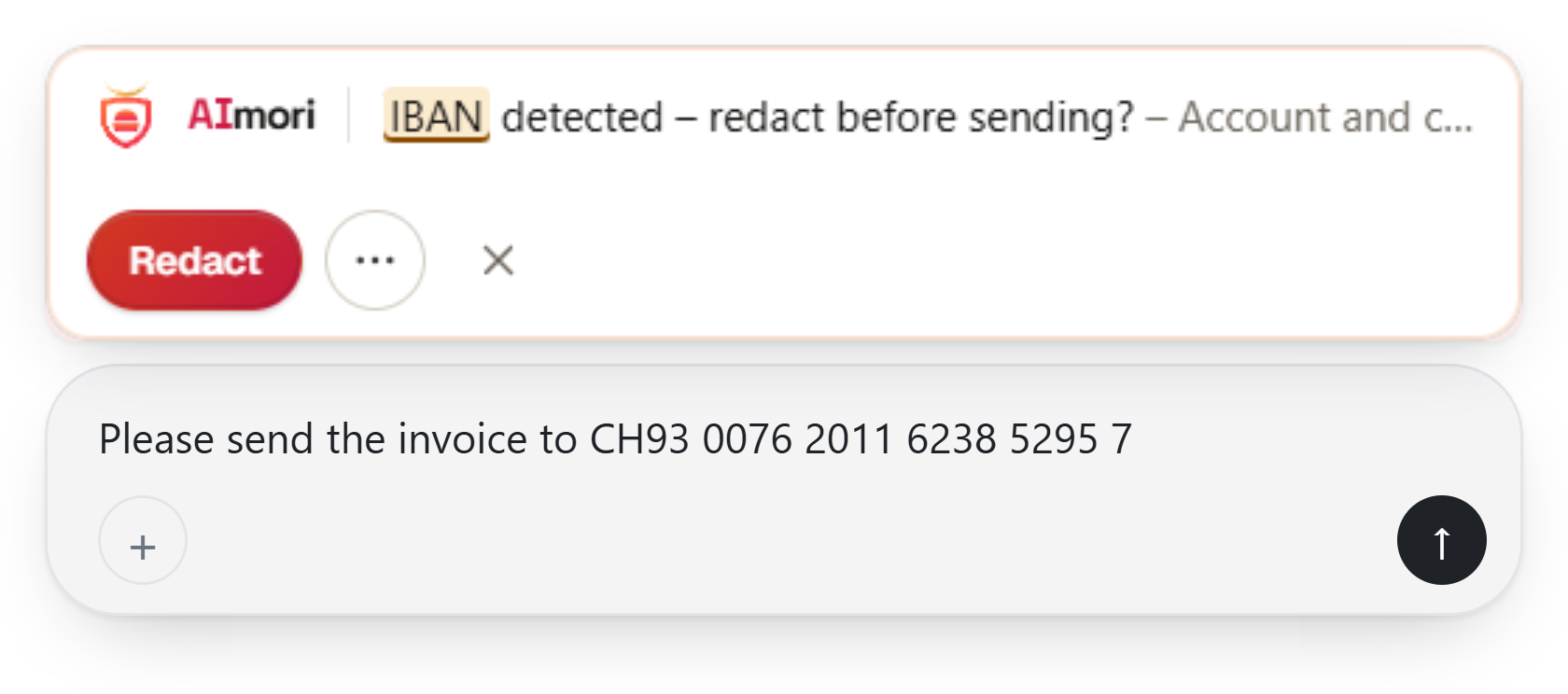
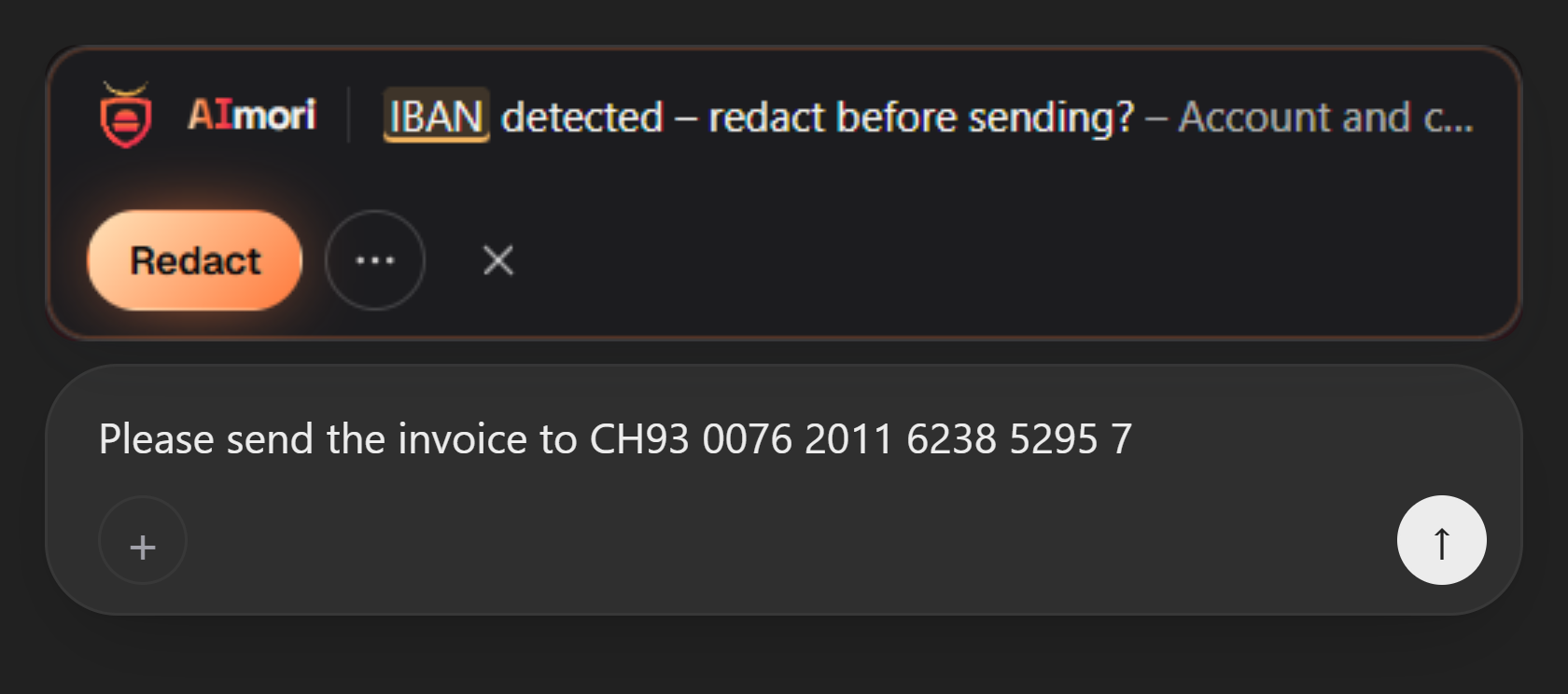
The hint is just an aid. The actual protection applies when you send.
On send: sending paused
Press Enter or the send button, and AImori checks the whole text. If something is found, nothing is sent. The bar shows "Sending paused: IBAN detected".
| Button | What happens |
|---|---|
| Redact | Every match is replaced with its category in brackets, for example [Financial data]. Nothing is sent automatically: check the text and send it again. |
| Edit | Nothing is sent, the text stays unchanged in the field. Continuing to type or pressing Escape does the same. |
| ⋯ More options | Opens the rarely needed actions: Placeholders, Rephrase safely, Send anyway, Not sensitive and Learn more. |
| Send anyway (under ⋯) | Two clicks: the first turns it into "Really send?", the second (no sooner than 0.4 s and within 4 s) sends the unchanged text. Without a second click, nothing happens. |
On paste and drop
When you paste text (Ctrl+V) or drag it into the field, AImori checks it before it lands in the field. If something is found: "Pasting paused".
- Insert redacted inserts the text with
[category]instead of the values. - Discard inserts nothing.
- Under ⋯ More options: Insert anyway (second click "Really paste?") as well as Placeholders, Rephrase safely and Not sensitive.
Images and files
AImori reads images (PNG, JPEG, WebP) locally with text recognition before the site receives them. During the check the bar shows "Checking image locally …". If nothing is found, the original is passed on. If something is found: "Image paused".
- Insert redacted copy: the matches are painted over in solid black.
- Cancel: nothing is inserted.
- Under ⋯ More options: Insert image anyway (second click "Really insert?").
AImori checks uploaded text documents (.txt, .md, .csv, .tsv, .json, .xml, .html, .log, up to 2 MB) and Excel files (.xlsx) for tables with personal data and for hidden instructions to the AI. If something is found: "Document paused", the file is not uploaded. Larger files count as not checkable and are reported as well.
AImori does not check other files (PDF, Word …) or individual values such as an IBAN inside files. In that case this appears: "Files are not checked – share only non-confidential files".
Placeholders
Placeholders (under ⋯) replaces every value with a numbered placeholder such as [IBAN_1]. The same value gets the same placeholder throughout the tab, and the AI keeps working with it.
- If the AI's answer contains placeholders, "Answer contains placeholders for IBAN" appears with Show with real values. Only you see the real values, in a window of the extension, with Copy and Close.
- The mapping is kept only in the memory of this tab, for at most 500 values, and is gone when you reload or close it. Further values are redacted as usual.
Rephrase safely
Rephrase safely (under ⋯) replaces sensitive details with general descriptions, locally and without network access. The question stays the same: "Mr Miller, 45, diabetes – which diet helps?" becomes "A patient of middle age with a chronic condition – which diet helps?".
- The new text is placed in the field and not sent: "Rephrased safely – please check the text in the input field, then send."
- Undo brings back the original when sending.
- AImori checks again the next time you send.
- Not available when the action Block applies.
Not sensitive
For a false alarm: Not sensitive (under ⋯) needs two clicks ("Sure? Ignore for 30 days"). The text then goes through, and the same values are not reported again for 30 days, on all sites.
- Only a checksum is stored, never the value.
- Only with the action Warn and when "Send anyway" is allowed; not for phone numbers and IPv4 addresses.
- To delete the list: Settings → Sites and exceptions → "Delete list".
Learn more
The bar says in one short sentence why the detected data is sensitive (one sentence per data type group, such as financial data or health). Learn more (under ⋯) opens a page of the extension with the full explanation and tips on what you can do.
What your organisation can set
There are four actions per data type. If several things are found, the strictest one applies.
| Action | Effect |
|---|---|
| Warn (default) | Redact, Edit or Send anyway (two clicks) |
| Redact only | Redact or Edit, no Send anyway |
| Block | "Sending blocked": change the text, then send again |
| Off | This data type is not checked |
- Placeholders, Rephrase safely and Not sensitive are on by default. Your organisation can turn them off (
allowPlaceholders,allowRephrase,allowNotSensitive). - Without "Send anyway" (
allowUserOverride) the button is missing. - AI site not approved: "This AI site is not approved". Uploads blocked: "File uploads are not allowed here".
All keys: Settings.
Special cases
- No room for the bar: if the input field is too narrow or not visible, the same message appears as a larger window with the same buttons.
- Text too long or too complex: over 200,000 characters or more than 150 ms check time. AImori does not let the text through silently in this case, but reports it as not checkable.
- "Protection not active on this page" or a red "!" on the icon: the site has been redesigned and AImori does not recognise the input field or the send button. See Troubleshooting.
- Security of the display: the bar belongs to the extension, not the AI site – the site cannot read it. If it is removed, covered or moved, AImori does not send.